
01 · Prepare data
Data & Parsing
P³ keeps import, parsing, row identity, and reusable storage in one preparation workflow before analysis begins.
Explore Data & Parsing →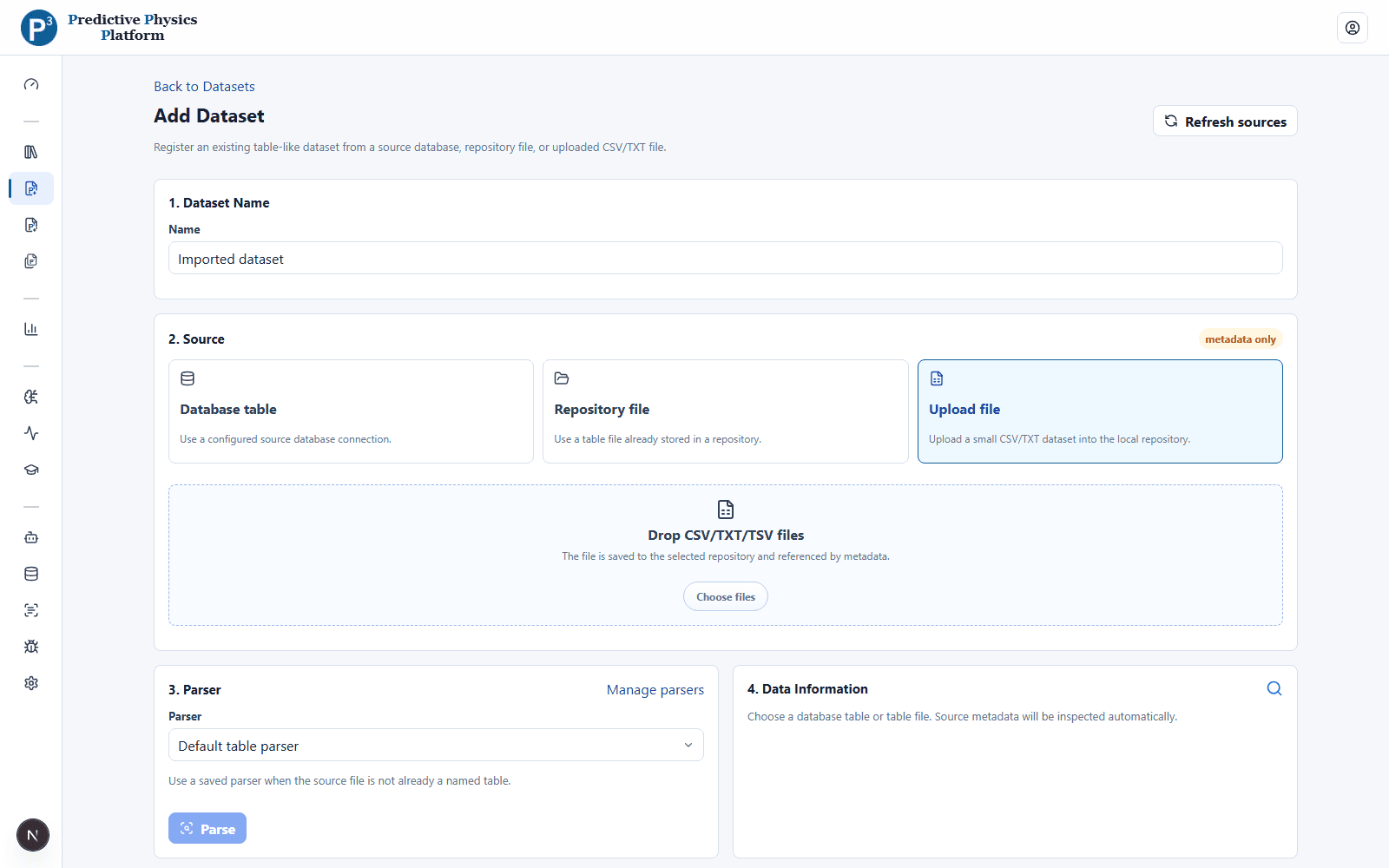
P³ connects the stages that usually live in separate scripts, files, dashboards, and training tools while keeping each result inspectable.
P³ keeps import, parsing, row identity, and reusable storage in one preparation workflow before analysis begins.
Explore Data & Parsing →P³ coordinates the sweep, records every input, and extracts supported scalar values, 1D curves, and 2D fields into datasets.
Explore COMSOL Workflows →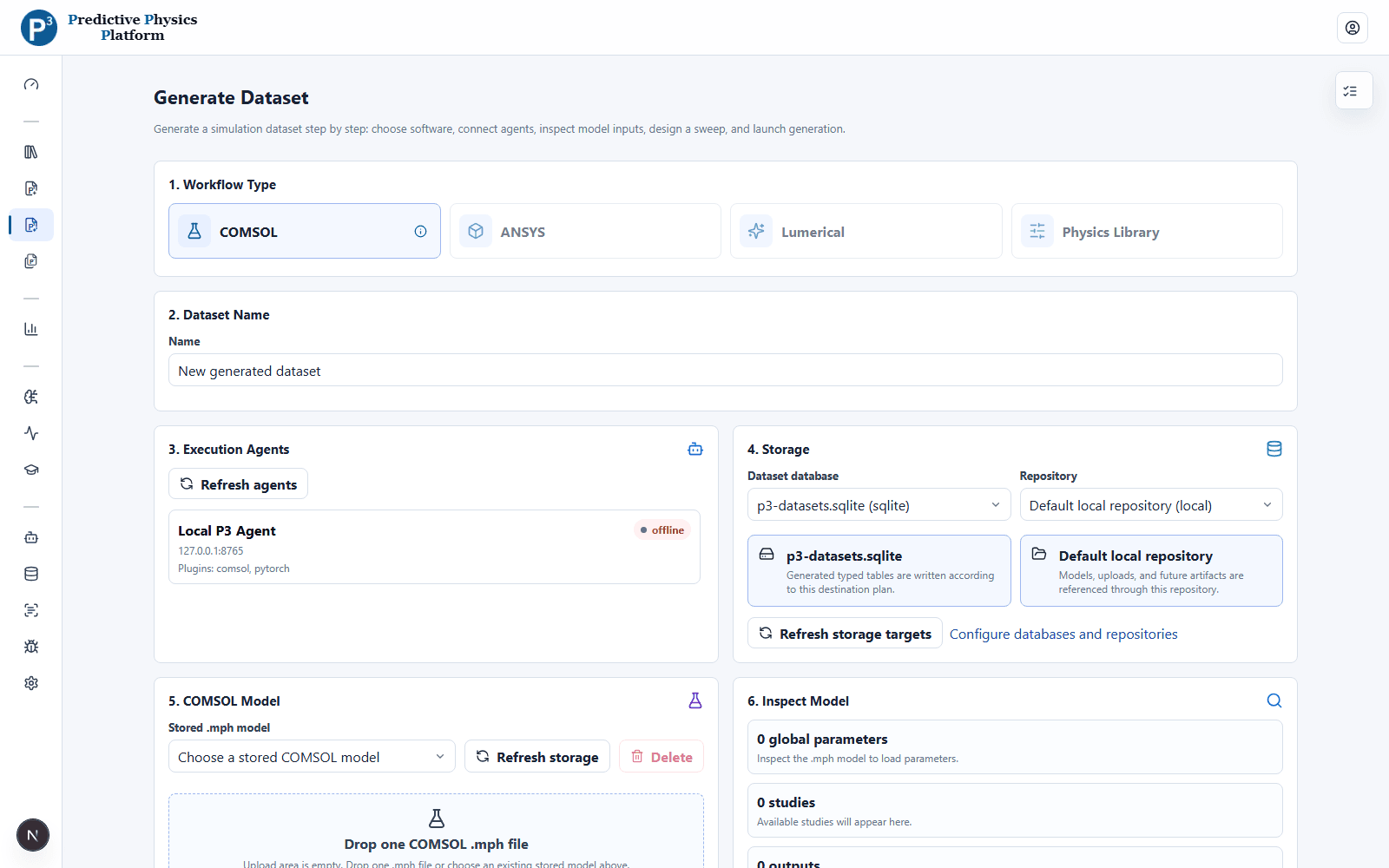
A workspace connects datasets, derived variables, active filters, scientific methods, and rearrangeable result tiles.
Explore Analytics →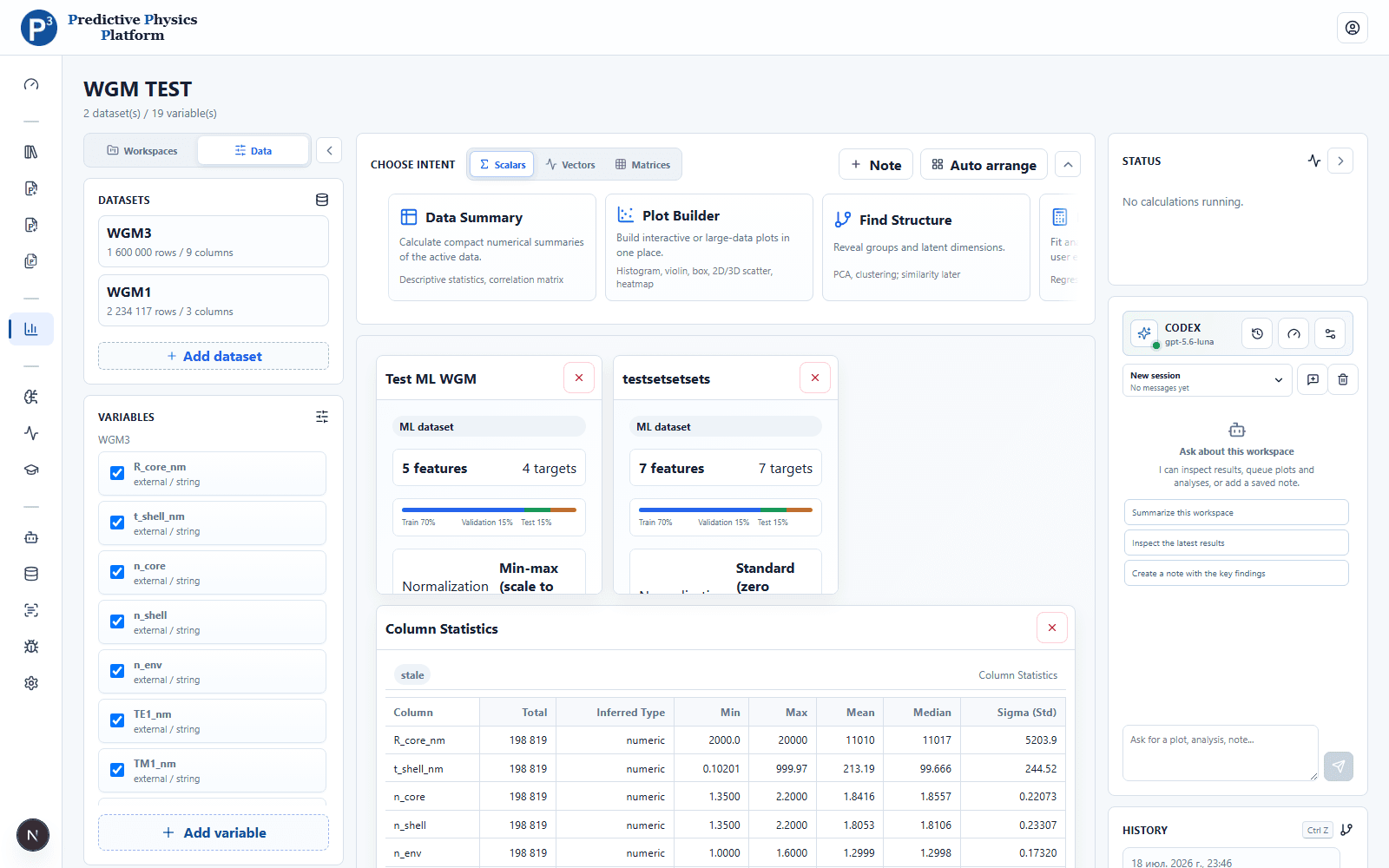
P³ freezes data preparation, model structure, and training settings into reproducible versions handled by local ML Agents.
Explore ML Studio →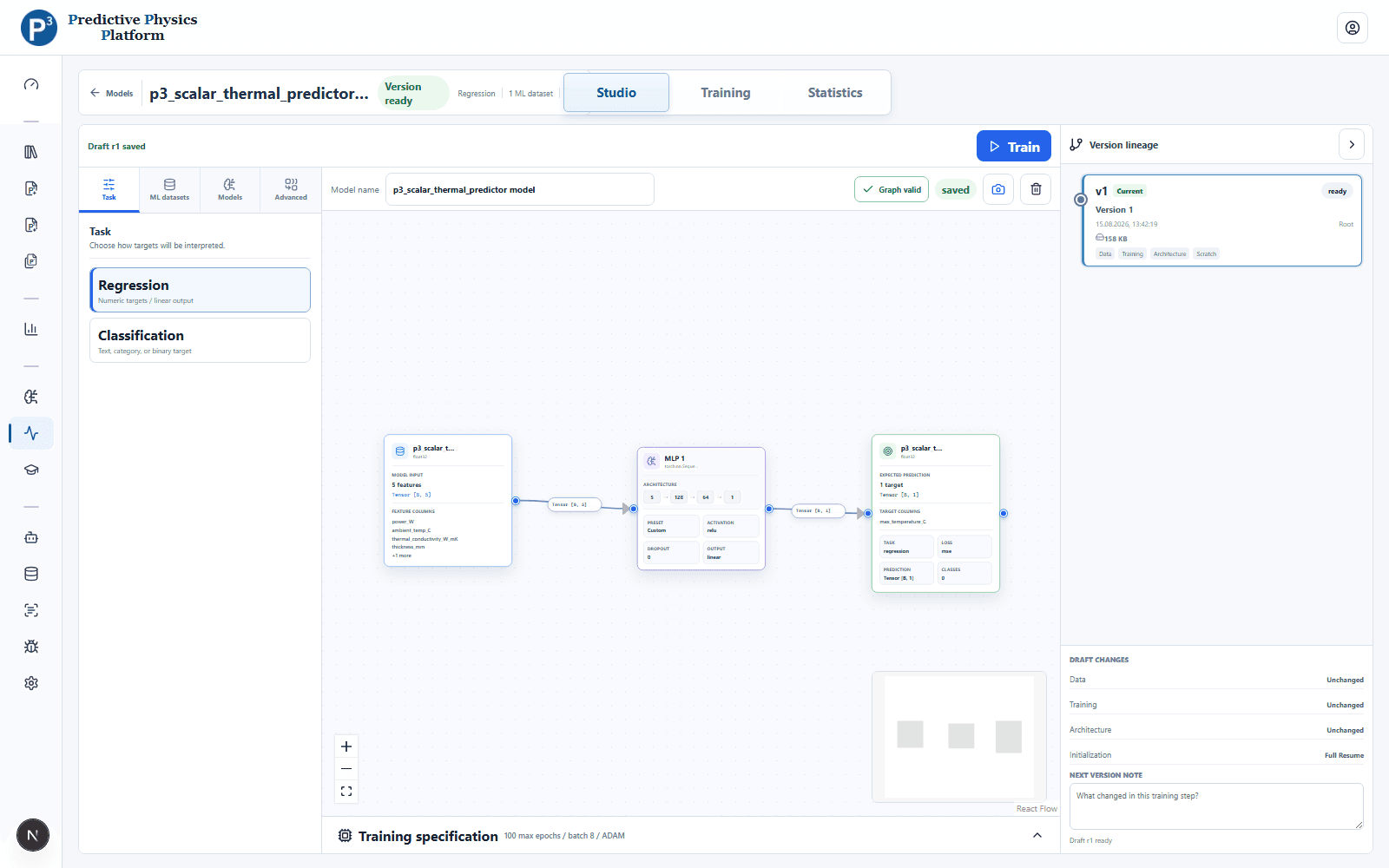
The same frozen preprocessing and model artifact drive the preview, Windows application, Python package, and DLL targets.
Explore Predictors →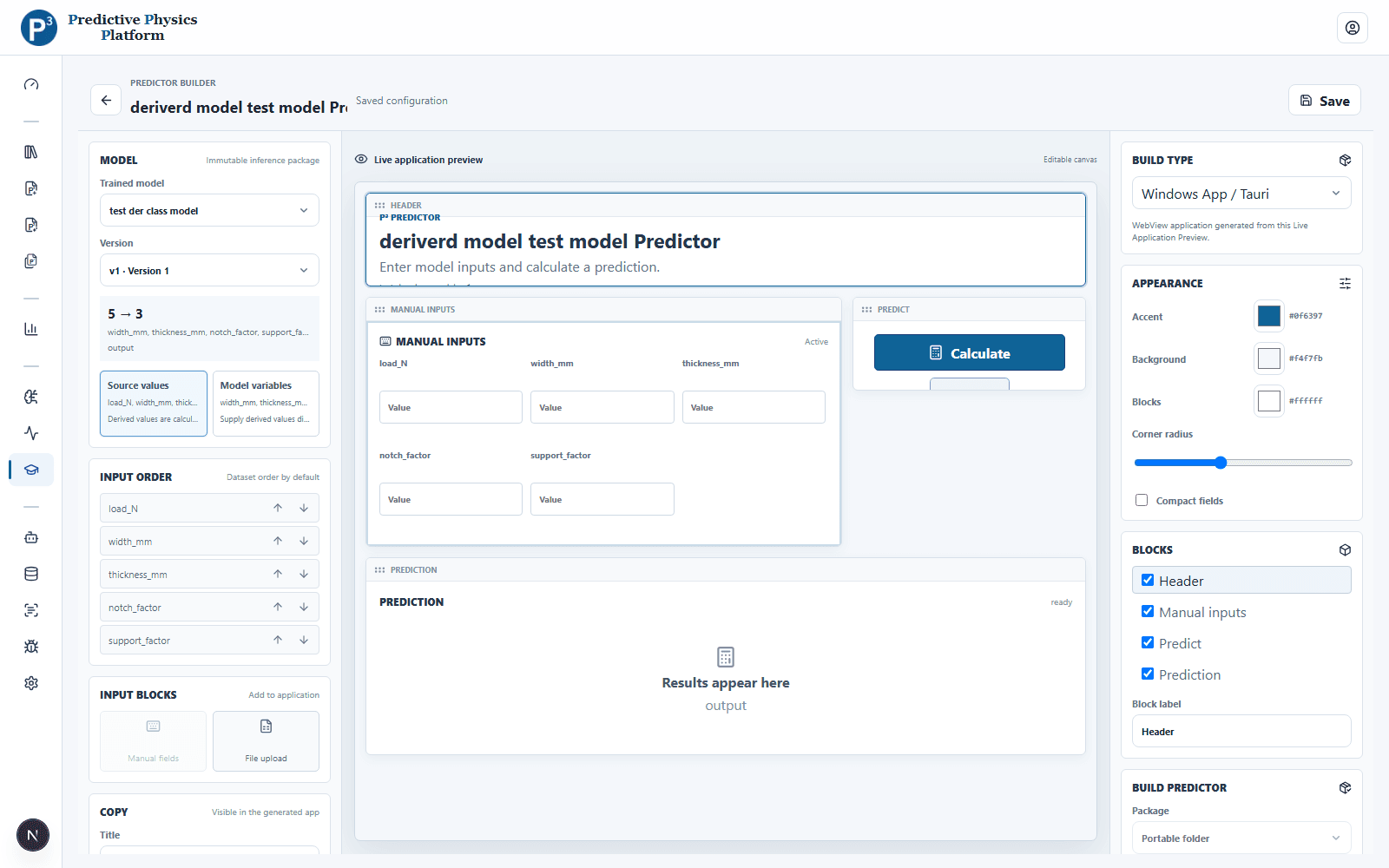
Free for private and eligible university use. Companies can request a commercial license.