
Scalar, vector, and matrix modes
Use workflows suited to ordinary columns, spectra and curves, or two-dimensional fields.
Explore scalar values, spectra, and fields without separating scientific context from the result.
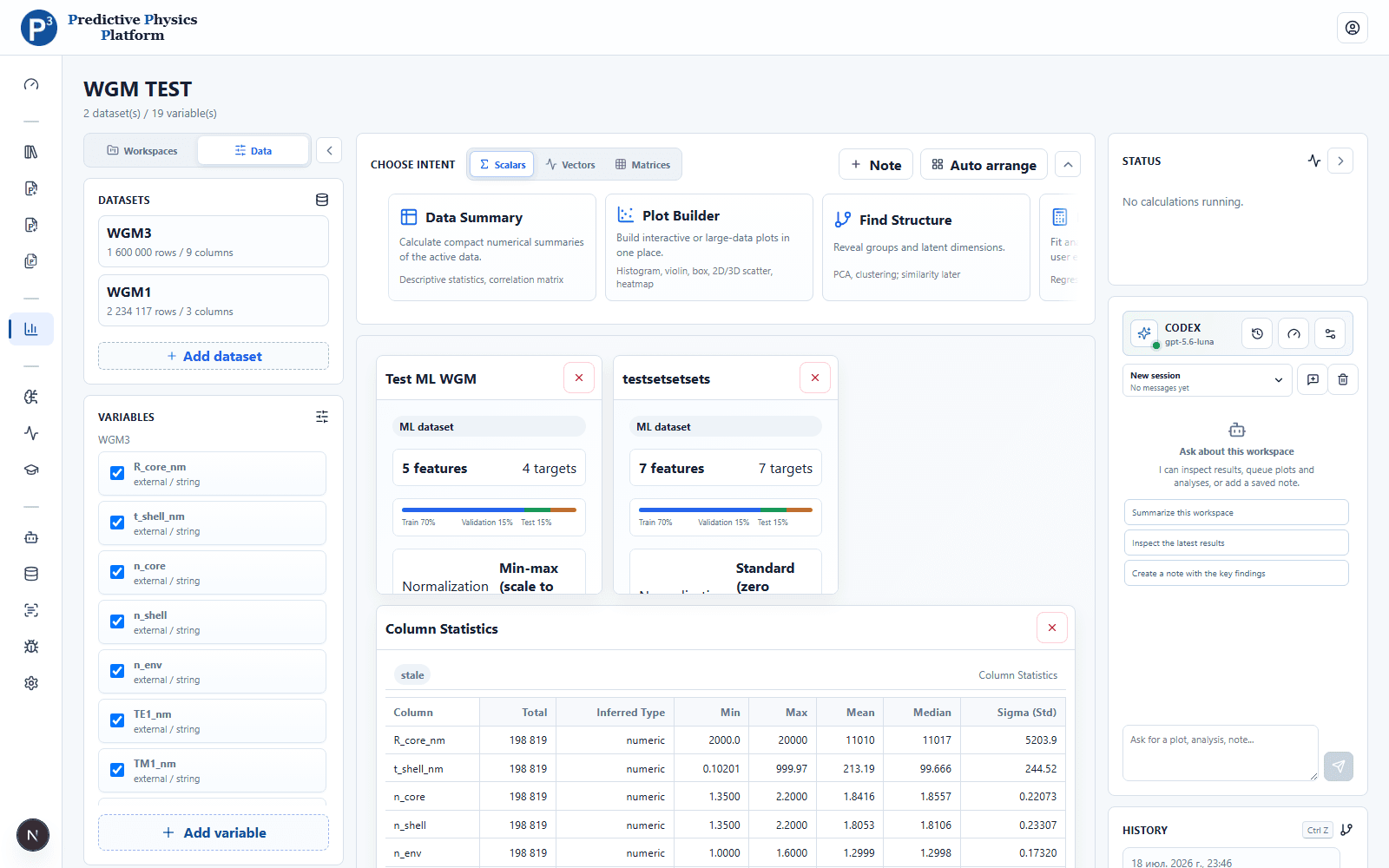
A workspace connects datasets, derived variables, active filters, scientific methods, and rearrangeable result tiles.
These capabilities reflect the current product. Experimental or unsupported feature types are not presented as finished.
Use workflows suited to ordinary columns, spectra and curves, or two-dimensional fields.
Choose Plotly for interaction or Datashader for dense results, with filtering and reusable selections.
Create statistics, correlations, PCA, clustering, fits, spectrum features, and derived variables.
Arrange plots, tables, notes, and model results on a persistent canvas with action history.
Connect one or more datasets
Choose scalar, vector, or matrix intent
Apply variables and filters
Keep the useful plots, tables, and derived results
Free for private and eligible university use. Companies can request a commercial license.